




Chevy Safety Assist: The Six Features Explained

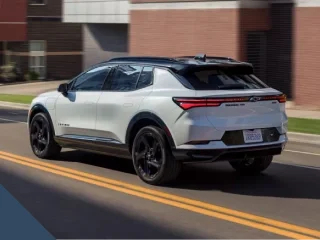
A white Chevrolet Equinox EV driving down a city street

Chevy Safety Assist is Chevrolet’s name for six driver-assistance features. They are Automatic Emergency Braking, Front Pedestrian Braking, Lane Keep Assist with Lane Departure Warning, Forward Collision Alert, Following Distance Indicator and IntelliBeam automatic high beams. If you are shopping for one of our new Chevrolets in Central Indiana, the table below lists several models that include it.

Two features can apply emergency braking, one briefly nudges the steering wheel, two warn or inform you, and one controls the high beams. You still drive. Stay attentive to traffic, your surroundings and road conditions whenever you’re behind the wheel.

The Six Features

Each Chevy Safety Assist feature has a specific job, with limits on what it detects and how it responds.

Feature What It Watches What It Does What It Does Not Do
Automatic Emergency Braking Vehicles directly ahead that you’re following, through a forward camera. May apply hard emergency braking or add to your own hard braking when it detects a possible front-end collision. Not intended for normal braking; you remain responsible for braking and steering.
Front Pedestrian Braking Moving or stationary pedestrians directly ahead, using a camera. Gives an alert and may apply emergency braking or add to your hard braking. Designed to detect pedestrians only; may miss children or people who are partly hidden, not upright or in a group.
Lane Keep Assist with Lane Departure Warning Lane lines, through a camera behind the windshield. Briefly nudges the wheel during an unintended drift, then warns if the drift continues. Provides only brief nudges, never continuous steering; your steering is still required.
Forward Collision Alert A detected vehicle ahead, using a camera or camera and radar. Warns when you follow much too closely or approach too quickly. Alerts only; never uses the throttle or brakes.
Following Distance Indicator The gap to a detected vehicle ahead, through a camera or camera and radar. Displays your following time in seconds in the instrument cluster. Displays information without braking or controlling speed.
IntelliBeam Surrounding light and other vehicles’ headlamps and taillamps. Automatically switches high beams on and off when conditions allow. May not switch high beams off when other vehicles’ lamps are missing, dirty or hidden.
A gray Chevrolet EV on a road at dusk with illustrated camera and sensor beams around it

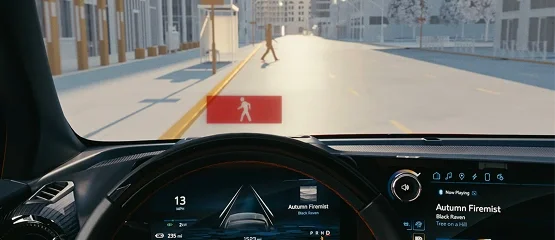
Both braking features operate in a forward gear. Their alerts can include a flashing red light on the windshield and beeps. Automatic Emergency Braking can help you avoid or reduce the severity of a collision with a detected vehicle you’re following.

Lane Keep Assist recognizes intentional actions. Using your turn signal, deliberately steering, accelerating or braking tells the system that the movement is intentional, so it stays quiet.

Following Distance Indicator must be selected in the instrument cluster. Dashes mean it hasn’t detected a vehicle or the vehicle is out of range. Its display does not appear while Adaptive Cruise Control is on, where equipped.

The table gives general operating speeds; the Owner’s Manual lists the exact range for each vehicle.

Feature General Operating Speed
Automatic Emergency Braking Generally about 5 to 50 mph
Front Pedestrian Braking Generally about 5 to 50 mph
Lane Keep Assist From about 37 mph, or about 31 mph on some vehicles
IntelliBeam Above about 25 mph

Which Models Include It

These Chevrolets include Chevy Safety Assist as standard equipment for the model year shown, from the base trim up. The table does not cover every Chevrolet we sell, so for another model, ask us for its equipment list.

Model Model Year On the Base Trim? Worth Knowing
Chevrolet Trax 2026 Yes -
Chevrolet Trailblazer 2026 Yes -
Chevrolet Equinox 2026 Yes -
Chevrolet Equinox 2027 Yes -
Chevrolet Equinox EV 2026 Yes -
Chevrolet Blazer 2026 Yes -
Chevrolet Blazer EV 2026 Yes -
Chevrolet Blazer EV 2027 Yes -
Chevrolet Traverse 2026 Yes -
Chevrolet Colorado 2026 Yes Standard on every trim; its pedestrian feature is Front Pedestrian and Bicyclist Braking
Chevrolet Silverado 1500 2026 Yes Standard on every Silverado 1500; on some trims, Enhanced Automatic Emergency Braking takes the place of Automatic Emergency Braking

Upgraded Versions

Some Chevrolets carry upgraded versions of the two braking features. Enhanced Automatic Emergency Braking adds radar to the camera, can detect vehicles farther ahead and is designed to perform better in poor weather. Weather and a dirty camera or radar can still limit it. Front Pedestrian and Bicyclist Braking works like Front Pedestrian Braking and also detects bicyclists ahead.

In the 2027 Chevrolet Blazer EV, the braking and pedestrian features upgrade to the enhanced braking and bicyclist versions, while the lane feature becomes Enhanced Lane Keep Assist with Lane Departure Warning.

View from a Chevrolet driver's seat as a pedestrian alert appears on the windshield for a person crossing ahead
Overhead view of a red Chevrolet pickup with an illustrated detection beam reaching a vehicle ahead

Adaptive Cruise Control, blind-zone alerts, rear cross traffic alerts, camera-view features and Super Cruise are separate features, not part of Chevy Safety Assist.

On the 2026 Chevrolet Suburban, Enhanced Automatic Emergency Braking, Intersection Automatic Emergency Braking and Front Pedestrian and Bicyclist Braking are standard on every trim. On the 2026 Chevrolet Silverado EV, the Assisted Driving Package is standard across the line and includes IntelliBeam, Following Distance Indicator and Forward Collision Alert.

What Can Get in Its Way

Chevy Safety Assist depends on what its cameras and sensors can detect, and conditions can limit both detection and response.

Condition Features Affected What Helps
Dirt, frost, snow or ice blocking the camera’s view Camera-based braking, pedestrian detection and lane assistance Keep the windshield in front of the camera behind the rearview mirror clean; clear frost and snow.
Dirty camera or radar areas Enhanced Automatic Emergency Braking Keep both the camera’s viewing area and radar sensor areas clean.
Poor visibility, poor lighting or weather that affects traction Automatic Emergency Braking Stay attentive and ready to brake or steer.
Nighttime, fog, rain or snow Front Pedestrian Braking Stay attentive; pedestrian detection is significantly limited in these conditions.
Faded lane lines, fog or rain Lane Keep Assist Check the dashboard icon and keep steering; a white icon can mean lane lines aren’t visible.
Fog, smoke, snow, mist, road spray or a dirty or cracked windshield at the sensor IntelliBeam Keep the top center of the windshield clear and stay attentive to high-beam operation.
Feature settings or operating conditions Braking features, Lane Keep Assist and IntelliBeam Check your vehicle’s settings, dashboard icons and manual.
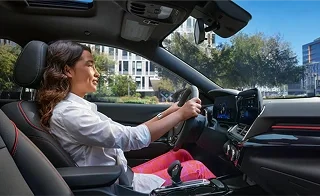
A smiling driver with both hands on the wheel of a Chevrolet on a sunny city street

A yellow Automatic Emergency Braking icon can mean automatic braking is off or the camera’s view is blocked. If the icon stays on after you clean the windshield, check the Owner’s Manual. Lane Keep Assist’s white icon can also mean you’re below its operating speed.

IntelliBeam needs the engine running, with the headlamp switch on its automatic (AUTO) setting or the low beams on. Depending on the vehicle, you enable it with a button, the turn-signal lever or the Auto High Beams setting. A heavy load that tips the vehicle’s nose upward, winding roads and hilly roads can also affect its response.

Winter and Highway Driving in Central Indiana

The braking and lane features need a clear camera view. Here in Central Indiana, the snow season generally runs December through March. Frost, snow and ice on the windshield in front of the camera can limit those features, so clear it before you drive.

The state treats I-69 and State Roads 9, 109, 67 and 32 near our store with salt brine and salt before and during storms.

Road spray or dirt covering other vehicles’ lamps, or a dirty windshield over the light sensor, can keep IntelliBeam from switching the high beams off.

If you commute on I-69 to Marion or Hamilton counties, Following Distance Indicator shows your time gap to a detected vehicle ahead, and Forward Collision Alert warns if you follow much too closely or close in too quickly. At interstate speeds, Lane Keep Assist is within its operating range and gives the wheel a brief nudge if you start to drift out of your lane unintentionally.

A white Chevrolet Colorado pickup with its headlamps on, parked on dark ground at dusk
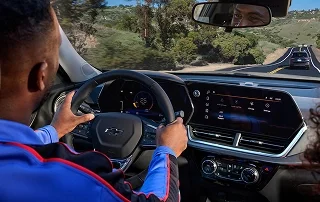
A driver's view of a Chevrolet instrument cluster and touchscreen on a winding highway

See It at Ed Martin Chevrolet

On a test drive, you can look at the displays, icons and settings and ask us how each feature works. Request a test drive and tell us which Chevrolet you would like to drive.

Our store is at 5400 Scatterfield Road in Anderson, Indiana, near I-69 Exit 226.

If you already drive a Chevrolet, our service and parts department is here for it too. You can also see the new Chevrolet specials.

Frequently Asked Questions

It’s a set of six Chevrolet driver-assistance features with different jobs, from emergency braking to automatic high beams. They assist while you drive; responsibility for watching traffic and controlling the vehicle stays with you.

Two can brake in an emergency: Automatic Emergency Braking and Front Pedestrian Braking. Two only warn or inform: Forward Collision Alert and Following Distance Indicator. Lane Keep Assist nudges the wheel and warns you when you drift out of your lane unintentionally, and IntelliBeam runs the high beams.

It may brake hard in an emergency, but a stop is not guaranteed. The feature responds to a possible front-end collision with a detected vehicle ahead. Keep handling normal braking yourself and remain ready to steer.

No. It warns without applying the brakes or changing the throttle. You can choose Far, Medium or Near alert timing with a steering-wheel control.

No. Its brief nudge during an unintended drift leaves you responsible for steering. Using your turn signal tells it the lane change is intentional, so it does not give that nudge or warning.

No, its detection is designed for pedestrians. The bicyclist version also detects bicyclists ahead and is the pedestrian feature in the 2026 Chevrolet Colorado’s Chevy Safety Assist.

Yes. A blocked camera view can limit braking and lane assistance, and dirt over IntelliBeam’s light sensor can interfere with high-beam operation. Clear the camera’s view behind the rearview mirror and the light sensor’s view at the top center of the windshield.

Yes, several have off settings or controls. Automatic Emergency Braking offers Off and Alert settings, and your vehicle’s manual explains how each works. Front Pedestrian Braking’s choices are Off, Alert, or Alert and Brake. You can switch Lane Keep Assist off with its button and turn Forward Collision Alert’s warnings off in Settings.

The Chevrolets in our model table have it as standard equipment for the model years shown, including their base trims. For any other Chevrolet, ask us about that vehicle’s equipment.

Yes. Use our test-drive request form to set up a drive, then look over the dashboard displays and settings in the car before you decide.